
Appearance
Share diagnostic and usage data
Warplyn's packaged Windows and Linux apps send pseudonymous reliability and usage events to PostHog Cloud in the United States (Virginia). Sharing is on by default during the public beta. You can turn it off in Settings → General → Privacy & diagnostics.
Turning sharing off stops future collection and clears queued events and the local Telemetry ID. Turning it on later creates a new ID. It cannot recall events already sent.
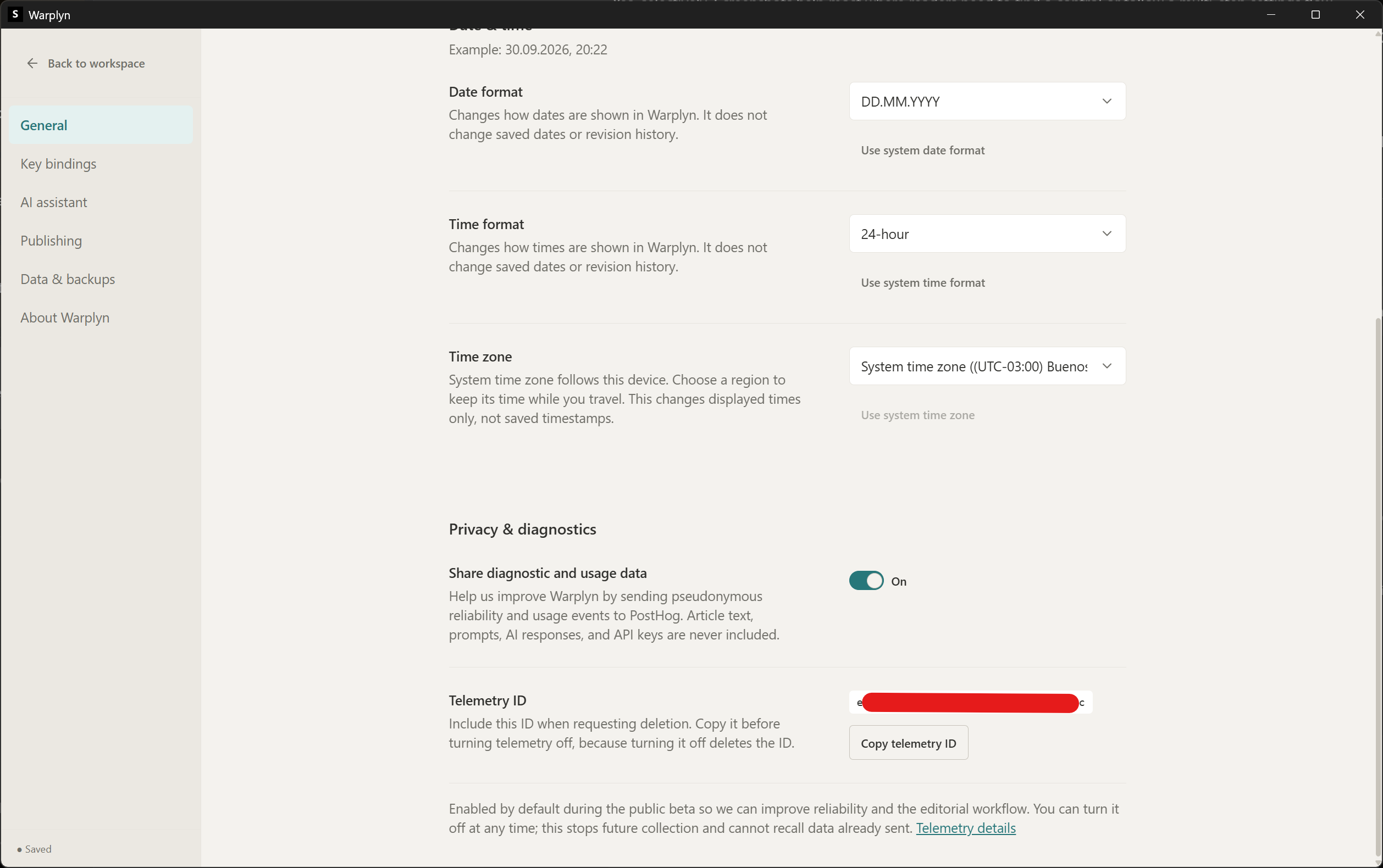
Privacy & diagnostics settings in the desktop app.
What Warplyn collects
Events cover:
- app starts and safe startup, renderer, or child-process failure categories
- completed, failed, or cancelled AI operations
- explicit Proposal reviews and aggregated Draft checkpoints
- backup and recovery outcomes
Events do not include Article text, prompts, AI responses, or API keys.
Other event fields
Each event includes a desktop analytics source, schema version, application version, platform, architecture, operating system version, and timestamp. Event-specific fields are limited to known categories, non-negative counters, or bounded durations.
Events do not include Article or Revision IDs or titles, environment variable values, file paths, URLs, raw errors, process exit details, or request and response bodies.
Request deletion
- In Settings → General → Privacy & diagnostics, select Copy telemetry ID.
- Email the ID to [email protected] and request deletion.
- Turn off Share diagnostic and usage data.
Copy the ID before turning sharing off. Turning it off clears the ID from your device. The project owner deletes the matching pseudonymous record and confirms by email.
Website analytics
The landing and plans pages use PostHog to measure visits, referral and campaign information, and clicks on download links. PostHog download events include the button's location on the page. Google Analytics also records a download_clicked event when someone opens the latest release link from the landing page, plans page, or user guide. These clicks do not confirm a download or installation.
Website PostHog tracking uses no cookies or browser storage, creates no person profiles, and records no session replays or general click activity. PostHog estimates visitors using a server-generated hash. Website events remain separate from desktop Telemetry IDs, and the desktop sharing switch does not control website tracking.
The landing pages and user guide also use Google Analytics, which may use cookies to measure visits and traffic sources. Both Google Analytics and PostHog tracking are skipped when your browser sends Do Not Track or Global Privacy Control. The cookieless behavior described above applies to PostHog.