
Appearance
Create and manage Skills
Skills are local Markdown instruction packages. They help the Assistant choose and sequence editorial capabilities. They do not add permissions or make changes to an Article.
Create and manage your own Skills
Ask the Assistant to create a reusable Skill in plain language. Explain the repeated job and any rules or references it needs. If a missing detail would change the Skill, the Assistant asks a short follow-up instead of guessing.
Example
To revise fiction in the style of a quiet river scene, ask: “Create a Skill called ‘Quiet fiction line edit’. Tighten Ana’s sentences while preserving her voice, the river setting, and the scene’s events. Don’t add details; flag unclear passages instead.” The Assistant can reuse those instructions whenever you ask for a line edit.
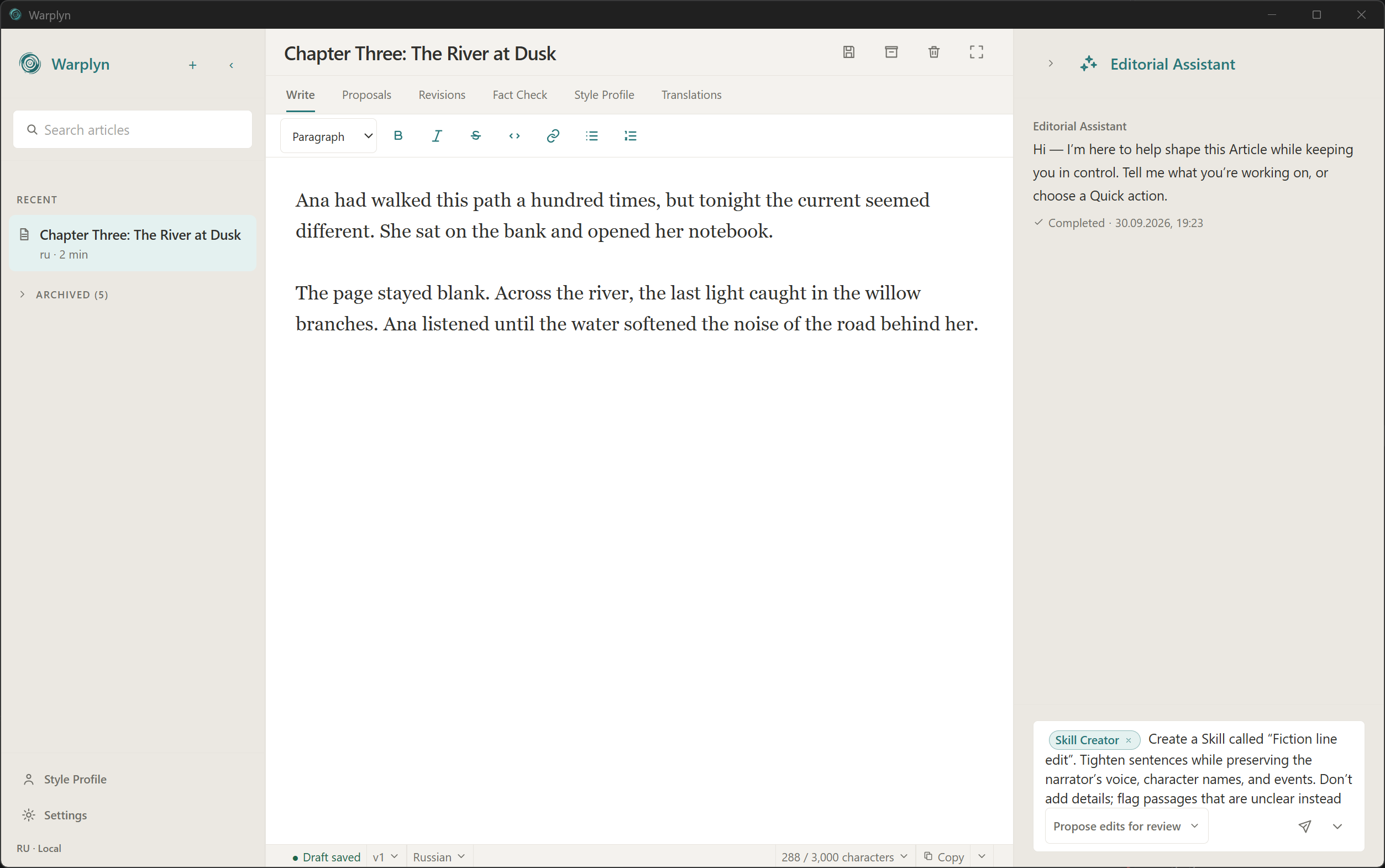
Example Skill creation request in the Composer. Connect a provider before sending it.
After a successful creation, the Skill is available for new Assistant requests immediately. The creation request does not send your Article body to the model and does not change the Article, Draft, Proposal, or Revision.
Each created Skill has a local, immutable Skill Revision history. This is separate from Article Revision history. You can also edit the local Markdown package directly. Warplyn refreshes the catalog for the next request. Removing its SKILL.md file removes it from the available Skills list.
Ask the Assistant to revise or delete a Skill by name. It reads the current package before changing it and checks whether the file changed in the meantime. A revision keeps the Skill ID and adds a new Skill Revision. Deletion removes the Skill from new requests but retains its history.
To restore earlier instructions, ask for that Skill's Revisions and identify the one to restore. Restoration writes a new live version and appends another Skill Revision. You can also restore a deleted Skill this way. Restoring an Assistant chat checkpoint does not restore or change any Skill; Skill restoration is a separate request.